The result in one sentence
A rule-heavy, data-heavy B2B pricing platform got an interface that commercial teams can use without a parallel spreadsheet, and a product process that kept stakeholders and engineers looking at the same priority.
- Client: Maxi Margin, a price and margin management platform for companies with large product catalogs
- My role: visual and UI/UX redesign, frontend implementation in React and Chakra UI, and Product Manager (sprints in ClickUp and the bridge between stakeholders and the engineering team)
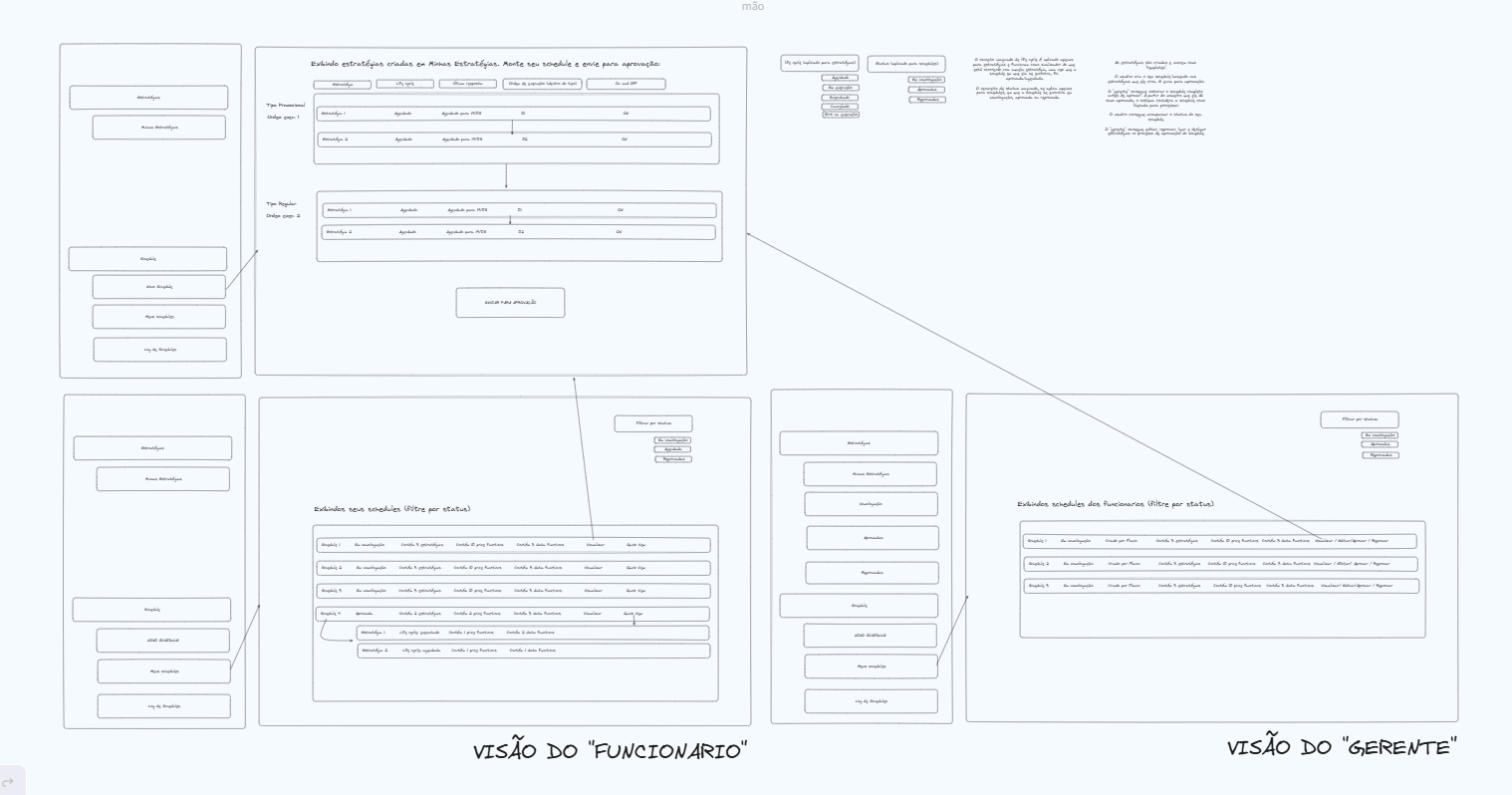
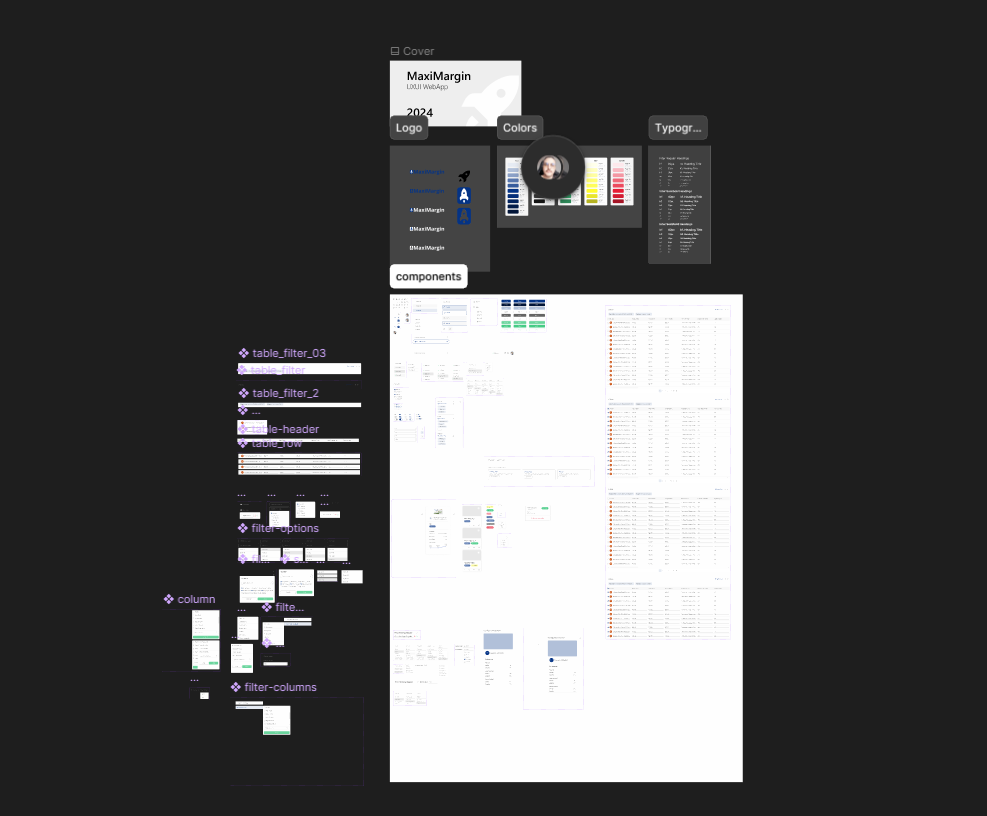
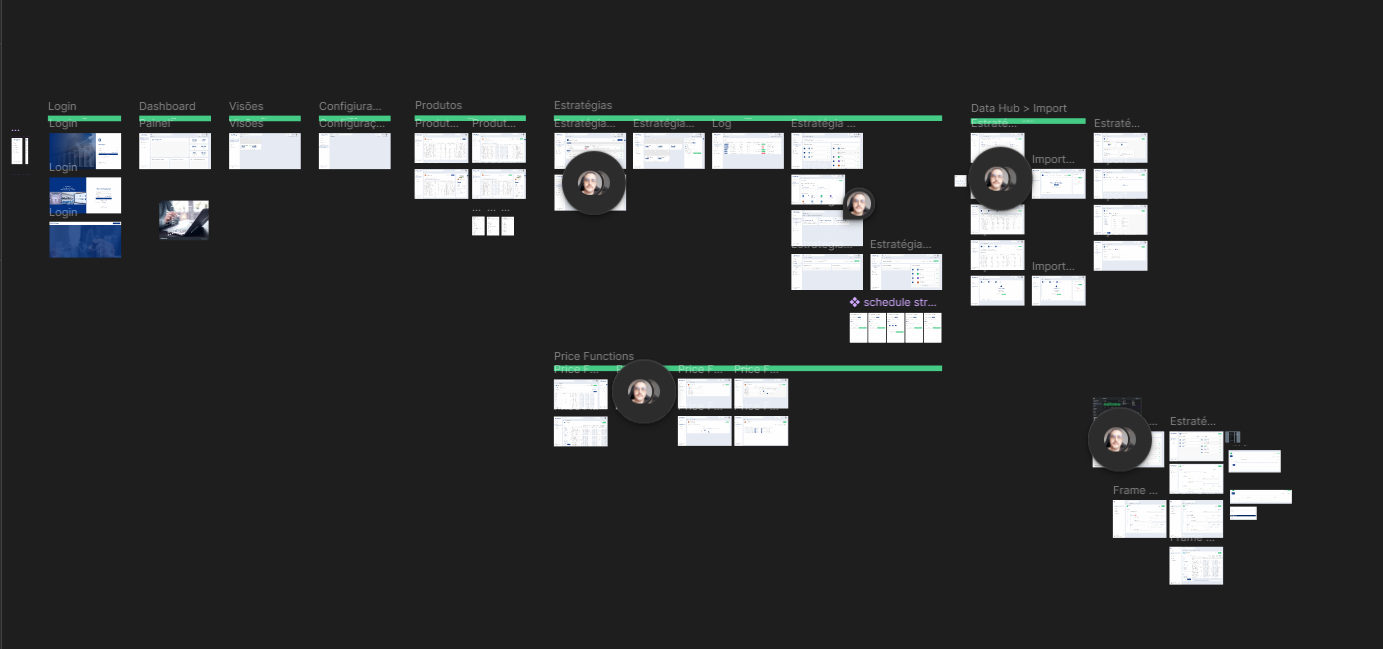
- Redesign around the workflow: I organized the platform around the user's real path: define the strategy, plan the execution, track the products and analyze the data.
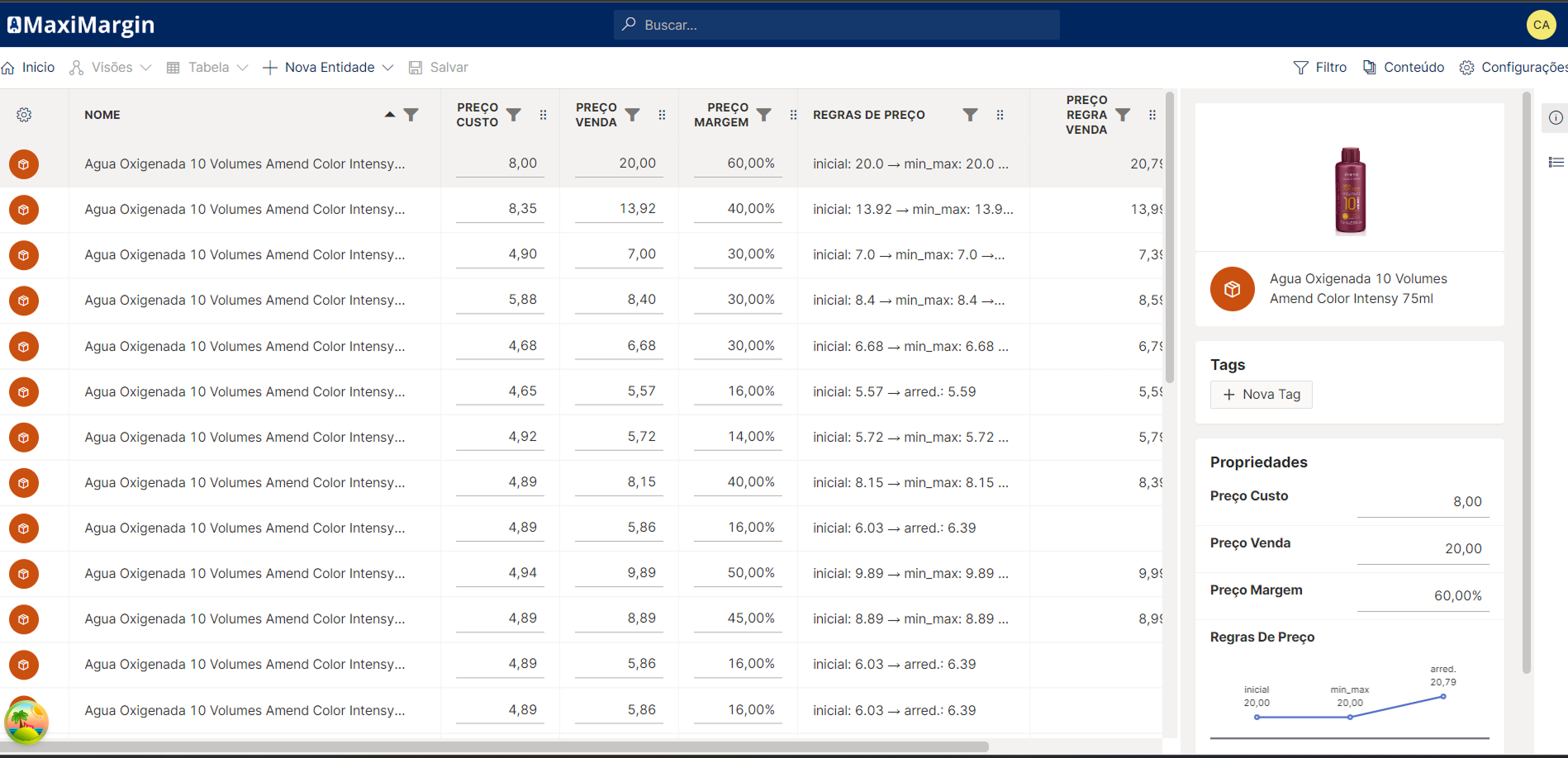
- Hide complexity, do not remove it: rules and filters remain powerful, but they are built visually, with a condition builder, drag and drop and previews, instead of technical fields.
- A design system on top of Chakra UI: a shared component library (tables, filters, panels, dialogs, workflow headers) to keep modules consistent and speed up new screens.
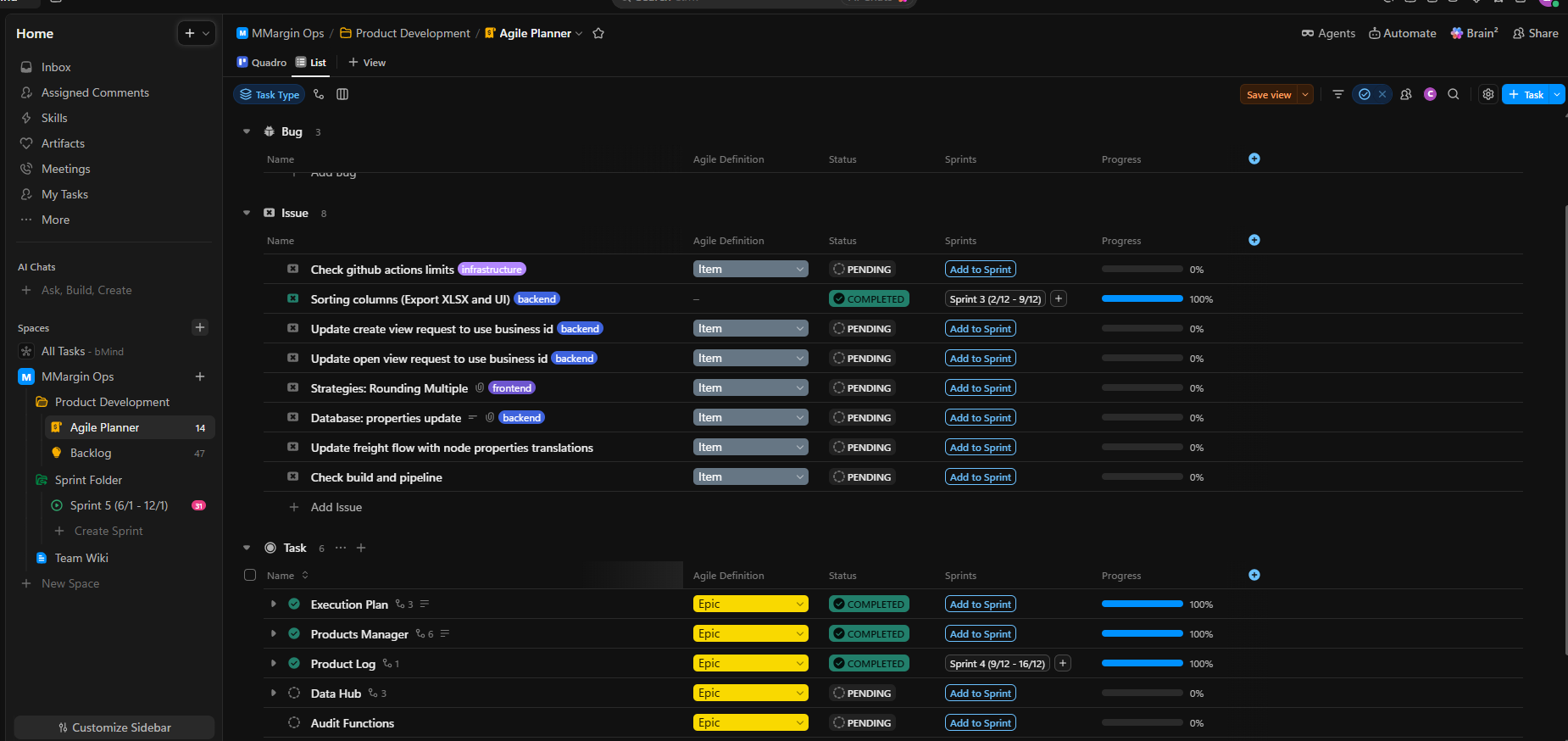
- Product with a cadence: as PM, I organized the backlog and sprints in ClickUp, turned business requests into stories the team could estimate and kept stakeholders informed about what was in, what was out and why.
- One consistent interface across strategies, execution, products and data
- Complex rules built visually, without depending on engineering
- Sprints with clear priorities and stakeholders following what was shipped
The context
For companies with thousands of products, price is strategy: a badly configured margin rule multiplies across the whole catalog. The people who define those rules are the commercial and pricing teams, not engineering, so the tool has to be powerful without asking users to think like programmers.
The problem
The platform had the right logic, but the experience did not keep up. Building a price strategy, filtering products by rules, tracking execution and checking the outcome required knowing the system from the inside. At the same time, requests came from every direction, and without a clear process the engineering team was caught between competing asks with no idea what to ship first.
The approach
The solution
Price strategies. A visual task workflow per strategy, with tasks reordered by drag and drop, filters built in a condition builder, selectable business metrics and a change history. A template gallery lets users start a strategy from ready-made models. Execution plans. Scheduling and tracking of how strategies are applied, with a changelog for each plan. Product management. Large virtualized tables, configurable views saved per user, and price, margin and markup calculations processed straight from the interface.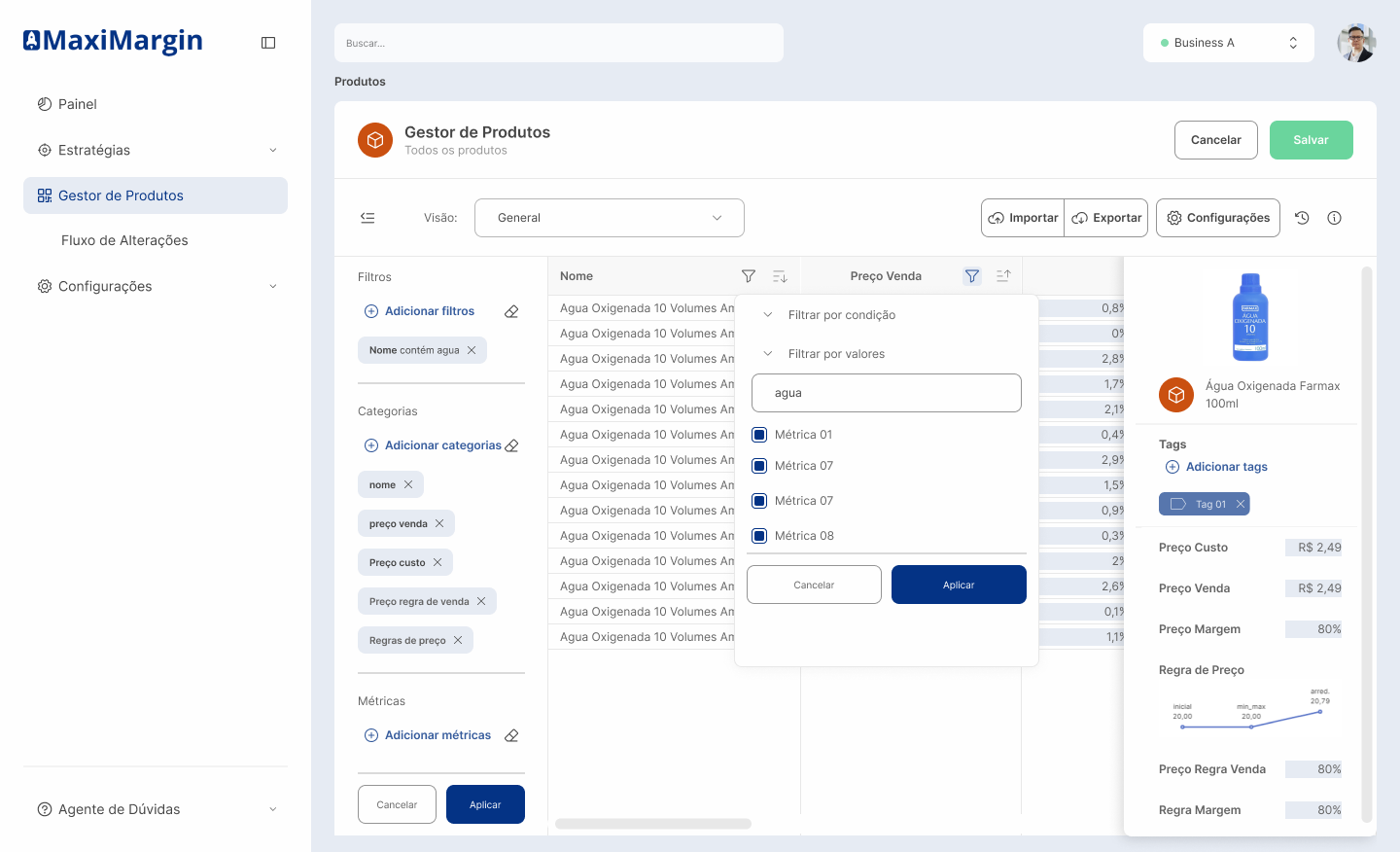 Data hub and dashboards. Dataset import and export, grid-based dashboards with charts and an interface in Portuguese and English.
Product management. Backlog and sprint tracking in ClickUp.
Data hub and dashboards. Dataset import and export, grid-based dashboards with charts and an interface in Portuguese and English.
Product management. Backlog and sprint tracking in ClickUp.
Under the hood
React 18 with TypeScript, Chakra UI with a custom theme, TanStack Query, Table and Virtual to handle large catalogs without freezing the screen, React Hook Form, dnd-kit for the workflows, a query builder for rules, ECharts and Gridstack for dashboards, Monaco editor for advanced cases, Auth0 authentication, GraphQL and REST APIs, i18n in pt-BR and en-US and a CI pipeline on Azure DevOps.
Results
What I take from this project
Doing design, frontend and product management at the same time showed me that many interface problems start before the screen, in the conversation about priority. When the team knows why something matters, the solution gets simpler for everyone.